Monitor Setup Guide
Quick answer
A 27 inch 1440p monitor resolves detail from about 31.6 inches away, while a 32 inch 4K monitor resolves from about 25 inches, so higher resolution lets you sit closer, not further, from the same size screen. Top of the usable screen belongs at or just below eye height, which means a larger panel needs to sit lower on the desk than a smaller one.
Distance and screen width are derived from published pixel density and aspect ratio trigonometry, not a rule of thumb, and the 60 pixels-per-degree resolving convention is the one assumption baked into the distance formula.
Monitor placement is one of the few home office decisions that comes down to actual trigonometry rather than a body ratio: pixel density determines how close you can sit before you can no longer resolve detail, and panel diagonal combined with aspect ratio determines how wide the screen actually is on your desk. This guide walks through the formulas, gives worked examples for the most common monitor sizes and resolutions, and explains why a bigger screen usually needs to sit lower, not just further away.
How is ideal monitor distance actually calculated?
The distance at which the pixel grid stops being resolvable to the eye is 3437.75 divided by pixels per inch (ppi), in inches, based on a widely used convention of 60 pixels per degree of visual angle. Below that distance, individual pixels or the gaps between them become theoretically visible; above it, the image reads as continuous detail.
This means resolution and distance are linked: a higher-ppi panel lets you sit closer without losing detail, while a lower-ppi panel of the same physical size needs more distance to look equally sharp. Buying a higher resolution version of the same size monitor is effectively buying permission to sit closer to your screen.
| Size | Resolution | Approx. PPI | Resolving distance |
|---|---|---|---|
| 24 in | 1920 x 1080 | about 92 ppi | about 37 in |
| 27 in | 2560 x 1440 | about 109 ppi | about 31.6 in |
| 32 in | 3840 x 2160 | about 138 ppi | about 25 in |
Monitors by size and resolution
Shown across the range this category actually spans, from $79.99 to $422.23, rather than the cheapest few.
- Philips Computer Monitors
Philips 24 Inch Computer Monitor FHD 100Hz VA VESA Flicker-Free, 241V8LB
$79.99 Check pricePrices change often - ViewSonic
ViewSonic VA2456A-MHD 24 Inch 1080p IPS Computer Monitor, 120Hz, HDMI
$109.99 Check pricePrices change often - AOC
AOC 27" Gaming Monitor QHD 260Hz Overclocked IPS NVIDIA G-SYNC Q27G41ZE
$159.99 Check pricePrices change often - CUNPU
CUNPU Z32UI06-TE 32 Inch 4K USB-C IPS Monitor for Laptop MacBook/Mac mini
$279.99 Check pricePrices change often - Dell
Dell 32 Monitor S3225QS, 4K UHD VA, 120Hz, FreeSync Premium, Eye Comfort
$329.00 Check pricePrices change often - Samsung
Samsung 32" ViewFinity S8 (S80UH) High-Resolution Monitor
$422.23 Check pricePrices change often







Why does a sharper monitor let me sit closer?
It is a direct result of the formula above: distance is inversely proportional to ppi, so doubling the pixel density roughly halves the resolving distance. This is counterintuitive to a lot of buyers who assume a bigger, higher-resolution monitor needs to go further away, when the opposite is closer to correct for legibility, though desk depth and field of view still set a practical outer limit.
In practice this means someone who feels cramped at their current distance on a 1080p monitor may get more comfortable, sharper-looking use out of the same physical distance by moving to a higher resolution panel of similar size, rather than by moving the monitor further back.
Arms and stands
Shown across the range this category actually spans, from $17.99 to $309.99, rather than the cheapest few.
- TEAMIX
TEAMIX Wood Monitor Stand Riser for Desk - 14.2 inch, Small Laptop Stand
$17.99 Check pricePrices change often - Simple Houseware
Simple Houseware Desk Dual Monitor Stand Riser with Drawer, Rustic Brown
$39.97 Check pricePrices change often - MOUNTUP
MOUNTUP Heavy Duty Dual Monitor Mount Holds 6.6-33lbs for Ultrawide Screen
$87.99 Check pricePrices change often


How wide is my screen actually going to be on the desk?
Screen width is a simple function of diagonal size and aspect ratio: multiply the diagonal by 0.872 for a standard 16:9 panel, or by 0.922 for a 21:9 ultrawide. This is worth checking before buying, since diagonal size alone does not tell you how much desk width the panel will actually occupy, especially when comparing a 16:9 panel to an ultrawide with a similar diagonal.
| Diagonal | 16:9 width (x 0.872) | 21:9 width (x 0.922) |
|---|---|---|
| 27 in | about 23.5 in | about 24.9 in |
| 32 in | about 27.9 in | about 29.5 in |
| 34 in | about 29.6 in | about 31.3 in |
Ultrawide options
Shown across the range this category actually spans, from $209.97 to $329.99, rather than the cheapest few.
- SANSUI
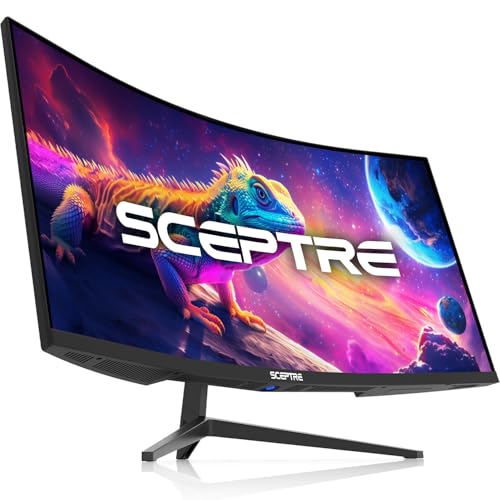
SANSUI 34 Inch Curved Monitor 240Hz UWQHD 3440×1440 Gaming Monitor
$239.99 Check pricePrices change often



How high should the monitor actually sit?
Top of the usable screen belongs at or just below eye height, following published posture guidance to keep neck flexion under about 15 degrees. Because larger panels are taller, a bigger monitor with its top at eye height puts the center of the screen, where you actually look most of the time, noticeably lower than a smaller monitor set the same way, so a larger panel needs to sit lower on the desk or on a shorter riser, not the same height as a smaller one.
Use your seated eye height, from the setup guide ratio of seat height plus 0.44 times your standing height, as the reference point, then work down from there by roughly half the panel height to estimate where the base of the monitor should land.
Monitor arm or factory stand: how much desk depth does each use?
A factory stand eats about 9 inches of desk depth just for its footprint, which matters on smaller desks where that space could otherwise hold a keyboard tray or documents. A clamp-on monitor arm needs roughly 3 inches of clearance at the back edge of the desk and gives you back about 6 inches of usable depth compared to a factory stand, in addition to adding height and distance adjustment the stand does not have.
| Mount type | Desk depth used | Height/distance adjustable |
|---|---|---|
| Factory stand | about 9 in | Limited or none |
| Clamp-on monitor arm | about 3 in | Full range |
How do I set up two monitors without one feeling like an afterthought?
For a dual-monitor layout, both screens should sit at the same distance and height using the formulas above, angled slightly inward toward the primary viewing position rather than left perfectly flat, so the outer edges are not meaningfully further away than the inner edges. A dual monitor arm keeps the gap between screens narrow and both screens at matched height, which is harder to achieve with two separate stands of potentially different heights.
If one monitor is a primary display and the other is secondary reference material, center the primary directly in front of you using the distance and height formulas above, and treat the secondary as a supporting position rather than trying to average the two into a compromise centerline.
Does an ultrawide replace the need for a monitor arm at all?
No, an ultrawide still benefits from arm-based height and distance adjustment for the same reasons any single monitor does, and the wider width from the aspect ratio formula above (0.922 times diagonal) means desk depth savings from an arm matter just as much, if not more, since ultrawide monitors tend to be physically larger overall. The choice between an ultrawide and dual monitors is a separate question of workflow, covered in the ultrawide vs dual monitors comparison, not a question of mounting.
Get the desk setup checklist
One page: the measurements to take, the order to set them in, and the numbers to check against. Free, no spam.
The mailing list opens shortly. Every measurement it covers is already on this site, in the calculators and the fit tables, at no cost and with no address required.
Questions people ask
Does the pixel density formula mean I should sit as close as the number allows?
Not necessarily. The resolving distance is the point where the pixel grid stops being visible, which is a floor for legibility, not a target to sit at exactly. Field of view, neck angle and personal comfort still matter, so treat the number as roughly the closest comfortable distance rather than the required one.
Why do two monitors with the same diagonal size take up different desk width?
Aspect ratio changes the math even at the same diagonal. A 16:9 panel uses a width of about 0.872 times its diagonal, while a 21:9 ultrawide panel of the same diagonal uses about 0.922 times its diagonal, so the ultrawide is noticeably wider on the desk despite an identical diagonal measurement on the spec sheet.
My 32 inch 4K monitor feels too big even at the calculated distance. What is happening?
The resolving distance formula addresses legibility, not overall field of view comfort. A 32 inch panel is physically large regardless of resolution, and some people find that field of view uncomfortable even at a distance where the pixel grid is fully resolved. Moving further back trades some sharpness for a more comfortable field of view, which is a personal preference the formula does not capture.
Should the monitor be centered on the desk or on my body?
On your body and your seated position, not necessarily the physical center of the desk, especially if your keyboard sits off-center relative to the desk itself. Center the screen on your eyes and shoulders first, using the height and distance formulas above, then let the rest of the desk layout, keyboard, mouse and accessories, follow from that position rather than from the desk's physical midpoint.
Does a monitor arm let me ignore the height and distance formulas?
No, an arm is a tool for reaching the correct height and distance more precisely and with less desk depth used, not a replacement for calculating what that height and distance should be. Use the formulas above to find your targets, then use the arm's adjustment range to hit them.
How much does switching from a 24 inch 1080p monitor to a 27 inch 1440p monitor change my setup?
It moves your resolving distance from about 37 inches to about 31.6 inches, meaning you can sit closer for the same clarity, and it increases screen width from about 20.9 inches to about 23.5 inches at 16:9. Recheck your desk depth and seating distance against the new numbers rather than assuming the old distance still applies.