Ultrawide vs Dual Monitors
Quick answer
A 34 in ultrawide monitor is about 31.4 in wide with a single seamless surface, while two 27 in monitors span roughly 47.7 in combined including the bezel gap between them. Choose the ultrawide for one continuous workspace and a cleaner desk; choose dual monitors for two independent sources and a hard visual divide that helps window management.
Researched from published panel dimensions and verified owner reviews rather than in-person testing.
The options
- 34 in ultrawide monitor
The LG 34WR55QK-B, a 34 in curved UltraWide WQHD (3440 x 1440) monitor at $329.99, about 31.4 in wide as a single panel.
$329.99 Check pricePrices change often - Two 27 in monitors
Acer 27in QHD 2560x1440 IPS 100Hz Office Monitor KB270U E2biipx
The Acer 27 in QHD (2560 x 1440) monitor at $119.99 each; buying two gives a combined width of about 47.7 in with a bezel gap between them.
$119.99 Check pricePrices change often


Best for: One continuous workspace, cleaner desk lines, and applications that benefit from a single wide canvas.
Avoid if: You need two fully independent sources, such as separate PCs, on screen at once.
Best for: Two independent windows or sources with a hard visual divide, and flexibility to angle each screen separately.
Avoid if: You want a single unbroken canvas or your desk depth cannot support two monitor footprints or stands.
| Specification | 34 in ultrawide | Two 27 in monitors |
|---|---|---|
| Panel width | About 31.4 in (single panel) | About 47.7 in combined, including gap |
| Bezel seam in the middle | None | Yes, the gap between two frames |
| Independent source count | One (unless using PIP/PBP features) | Two, natively |
| Resolution (typical) | 3440 x 1440 (UWQHD) | 2560 x 1440 each (QHD) |
| Desk depth needed | One stand footprint | Two stand footprints, or one dual arm |
| Price at review | $329.99 (LG 34WR55QK-B) | $119.99 each, about $240 for two (Acer 27in QHD) |
The width math, side by side
A 34 in 21:9 ultrawide panel works out to roughly 31.4 in of physical width, calculated from its diagonal and aspect ratio. Two 27 in 16:9 panels placed side by side, each roughly 23.5 in wide, come to about 47 in combined before you even add the gap created by each monitor's bezel and stand, pushing the real combined footprint to about 47.7 in.
That is a difference of more than 16 in of desk width, which is often the deciding factor before resolution or workflow even enter the conversation. A desk under about 50 in wide can struggle to fit two 27 in monitors comfortably with room left for a keyboard and mouse, while the same desk handles a 34 in ultrawide with space to spare on either side.
What the bezel seam actually costs you
The gap between two monitors is not just a cosmetic gap, it is a literal break in the visual field exactly where many workflows put the content that matters most, such as the center of a spreadsheet or the middle of a video timeline. An ultrawide panel removes that seam entirely, giving you one continuous surface where nothing important is ever split across a physical frame edge.
This matters most for tasks that treat the display as one canvas, such as video editing timelines, wide spreadsheets, CAD drawings, or multi-column writing. It matters less for tasks that are naturally split into separate windows anyway, since you would be creating a virtual divide on the ultrawide roughly where the physical one already exists on dual monitors.
Where dual monitors still win on workflow
Dual monitors give you two genuinely independent display outputs, which matters if you ever connect two separate computers, run a laptop plus a desktop simultaneously, or want to angle one screen toward a webcam and the other straight ahead. An ultrawide can simulate a two-window layout with picture-by-picture or split-screen software features, but it remains one input on one GPU output unless the specific model supports true multi-input display splitting.
Dual monitors also let you angle each panel independently, which some owners prefer for a slight inward cant toward the user's eye line, something a single flat or even curved ultrawide cannot replicate since it is one rigid surface.
Mounting considerations for each setup
An ultrawide is heavy enough, and often curved, that it needs either a sturdy dedicated stand or a heavy-duty monitor arm rated specifically for ultrawide panels up to 49 in; a lighter single-monitor arm rated for 27 in panels can sag under an ultrawide's weight. Dual monitors are better served by a dual monitor arm, which recovers desk depth on both screens at once and lets you fine-tune the angle of each panel independently, rather than two separate stands each eating their own footprint.
Which setup actually costs more
A single 34 in ultrawide, such as the LG 34WR55QK-B at $329.99, is generally cheaper than buying two comparable 27 in monitors for a dual setup, which at $119.99 each runs about $240 for the pair before adding a dual monitor arm or two separate stands. Once you add mounting hardware, a dual monitor arm in the $35 to $120 range or two individual stands, the total cost of a dual monitor setup can land close to or above the price of a single ultrawide panel, depending on which arm or stand tier you choose.
The calculation shifts if you already own one of the 27 in monitors and only need to buy a second, in which case dual monitors becomes the cheaper path by a wide margin. Factor in what you already own before assuming either configuration is automatically the better value, since the sunk cost of an existing monitor changes the comparison more than any spec difference between the two setups. Graphics card requirements are similar for both setups at QHD-class resolution, so that cost typically does not tip the decision either way, and neither setup demands hardware meaningfully beyond what a standard office or gaming PC already has installed.
Ultrawide monitors
Shown across the range this category actually spans, from $209.97 to $329.99, rather than the cheapest few.
- SANSUI
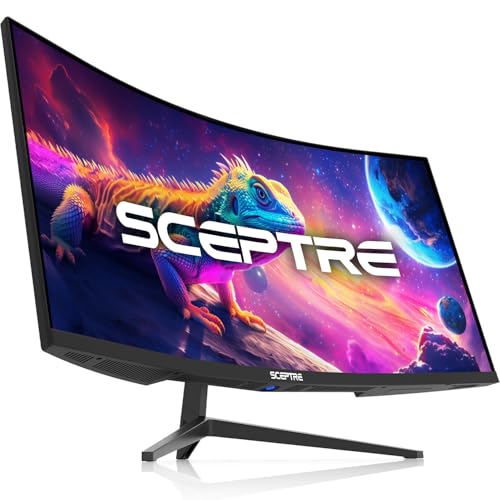
SANSUI 34 Inch Curved Monitor 240Hz UWQHD 3440×1440 Gaming Monitor
$239.99 Check pricePrices change often


27 in monitors for a dual setup
Shown across the range this category actually spans, from $119.99 to $189.99, rather than the cheapest few.
- Acer
Acer 27in QHD 2560x1440 IPS 100Hz Office Monitor KB270U E2biipx
$119.99 Check pricePrices change often - Acer
Acer Nitro 27in QHD 2560x1440 IPS 180Hz Gaming Monitor KG271U N3bmiipx
$149.99 Check pricePrices change often - AOC
AOC 27" Gaming Monitor QHD 260Hz Overclocked IPS NVIDIA G-SYNC Q27G41ZE
$159.99 Check pricePrices change often




Get the desk setup checklist
One page: the measurements to take, the order to set them in, and the numbers to check against. Free, no spam.
The mailing list opens shortly. Every measurement it covers is already on this site, in the calculators and the fit tables, at no cost and with no address required.
Questions people ask
Is a 34 in ultrawide the same width as two 24 in monitors?
Not quite. A 34 in ultrawide is about 31.4 in wide, while two 24 in 16:9 monitors are roughly 21 in wide each, for a combined width near 42 in including the gap. The ultrawide is narrower than two 24 in monitors combined, but taller in usable vertical space since it lacks the horizontal split of two separate panels.
Does an ultrawide monitor replace two monitors for multitasking?
For window snapping and side-by-side documents, largely yes, since most operating systems and many monitors support splitting an ultrawide into two or three virtual zones. It does not replace two monitors if you need genuinely separate input sources, such as two different computers, since an ultrawide is still one display connected to one output unless the model has built-in input switching.
Why does my ultrawide monitor need a special stand or arm?
Ultrawide panels are both wider and often heavier than a standard 27 in monitor, and many are curved, which changes the mounting geometry. A stand or arm rated specifically for ultrawide screens up to 49 in is built for that weight and width; a standard single-monitor arm can sag under an ultrawide's extra weight over time.
How much desk depth do I need for dual 27 in monitors versus one ultrawide?
Depth requirements are similar for either setup since both use monitors in the 27 to 34 in class with comparable stand or arm footprints, typically 9 in for a factory stand or about 3 in for a clamp arm. The real difference is desk width: dual 27 in monitors need about 16 in more width than a single 34 in ultrawide.
Which is better for video calls, an ultrawide or dual monitors?
Dual monitors have a practical edge here because you can dedicate one full panel to the call and one to notes or a shared document without either window feeling cramped by a split screen. An ultrawide can do the same with a virtual split, but the effective width per app is smaller than on a dedicated 27 in panel.
Can I mix an ultrawide with a second smaller monitor?
Yes, and it is a common hybrid setup: an ultrawide as the primary canvas with a second, smaller monitor mounted above or beside it on its own arm for a chat window, reference material, or a secondary source. Check that your graphics card supports the combined resolution of both displays before buying.