Spacing and angle for two 42 in monitors
Quick answer
Two 42 in panels side by side span 77.8 in (198 cm). Angle each one inward by roughly 22 degrees so both faces point at your head, and sit about 38.7 in (98 cm) back. Centre the screen you use most in front of you rather than centring the seam.
The geometry is exact. Which screen to centre, and the angle that feels right, are conventions that depend on how you actually use the second screen.
| Figure | Value | Note |
|---|---|---|
| One panel width | 38.6 in (98 cm) | 21:9 ultrawide |
| Pair width including the gap | 77.8 in (198 cm) | Sets the desk width |
| Desk width needed | 93.8 in (238 cm) | With an 8 in margin each side |
| Viewing distance | 38.7 in (98 cm) | From pixel density |
| Inward angle each panel | 22 deg | So both faces point at your head |
| Head turn to the far edge | 53 deg | Per panel |
| Arrangement | Suits | Trade off |
|---|---|---|
| Primary centred, second to the side | One main task with a reference screen | The second screen needs a head turn |
| Seam centred, both angled in | Two equally used screens | Nothing sits directly in front of you |
| Second screen in portrait | Reading, code, long documents | Needs an arm that rotates, and more height |
| Second screen above | Monitoring while working below | Pushes the upper screen above eye height |
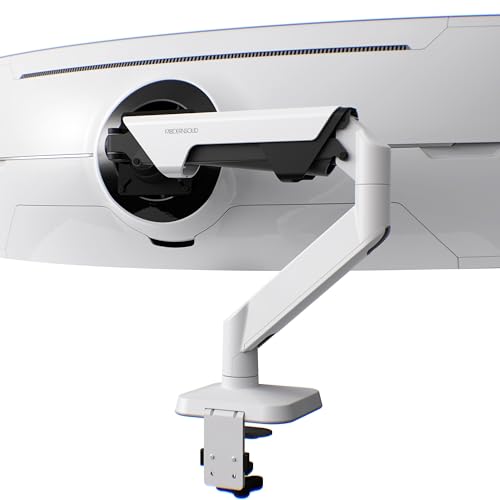
Dual arms for panels this size
Shown across the range this category actually spans, from $34.99 to $149.99, rather than the cheapest few.
- PUTORSEN
Heavy Duty Dual Monitor Arm for 17-49" Screens, Vertical Stack, 44lbs
$89.99 Check pricePrices change often - Modernsolid
Modernsolid Heavy Duty Monitor Arm for 34-49 Inch Ultrawide Curved Screens
$149.99 Check pricePrices change often




Do not centre the seam unless you use both equally
The default arrangement puts the gap between the two panels directly in front of the user, which means the thing you look at most is always off to one side. That suits people who genuinely split their attention evenly. Most people do not: there is a main screen and a reference screen, and for them the main panel belongs centred on the body with the second one beside it.
The test is simple. If you find yourself turning your head in one direction most of the day, the layout is wrong for how you work. Neck rotation held for hours is more tiring than the head turn itself suggests, and it is the commonest complaint from dual screen setups that are otherwise well adjusted.
Angle, and why flat pairs feel worse
Two panels mounted flat present their outer edges at an angle to your eye, so the far corners are further away and viewed obliquely, which costs contrast on most panel types and makes colour shift visible. Angling each panel inward by about 22 degrees at this size and distance keeps both faces roughly square to your line of sight.
That shallow arc is one of the things a dual arm does well and a pair of factory stands does badly, since most stands offer only a small swivel range. It is also why a dual arm is worth more on larger panels: at 42 in the outer edge of a flat panel is a long way off axis, and the gain from angling it is correspondingly larger.
Questions people ask
How far apart should two 42 inch monitors be?
As close as the bezels allow. The pair spans 77.8 in (198 cm) with the panels touching, and any extra gap only widens the head turn to reach the second screen. Angle each panel inward by roughly 22 degrees so both faces point toward you rather than sitting flat.
Should the gap between monitors be centred on me?
Only if you genuinely use both screens equally. Most people have a primary screen and a reference screen, and for them the primary belongs centred on the body with the second beside it. Centring the seam puts the thing you look at most permanently off axis, which is what produces the sustained neck rotation people complain about.
How wide a desk do two 42 inch monitors need?
About 93.8 in (238 cm), which is 77.8 in of screen plus an 8 in working margin on each side. Without that margin the desk holds the screens and nothing else, which is workable but leaves nowhere for a notepad, a drink or a lamp.
Is a single ultrawide better than two of these?
A 34 in ultrawide is 31.3 in wide against 77.8 in for this pair, and it removes the bezel seam entirely. Two panels win when you need two separate sources, or when the hard divide down the middle is doing useful work for window management. It is a workflow question more than a hardware one.